Why sound design changes depending on where video lives
Last updated: May 21, 2026
The so what for anyone publishing video
You know that sinking feeling when a brand film is genuinely good on paper? The story’s there, the shots look great, the edit has pace, and everyone’s happy. Then you watch it on a phone and it falls apart. The music feels too loud, the speaker gets buried, and the whole thing suddenly sounds cheap. On a desktop it seemed fine. On mobile, sound becomes the worst part of the experience, and viewers don’t stick around long enough to hear what you actually made.
Get the sound wrong and you can lose the audience connection straight away.
Get it right and your film feels premium, emotionally connected, and professional on every screen.
So this is for you. Brand teams and producers who want their films to feel premium, even if you’re not audio specialists, and creators who care about sound because you know it changes how the work is felt. Sound design can’t fix a weak idea, but it can stop a strong story from feeling hard to follow. By the end, you’ll have a quick test you can run in ten minutes before you export anything.
The playback context quietly dictates what survives, which is why these decisions land best alongside the wider way of thinking in how screens shape viewing choices.
The room rewrites the sound brief
A lot of sound advice stops at foley, ambience, and mood. That’s useful, but it misses the bigger truth. Playback context often decides what survives.
In a cinema you can afford detail and dynamic contrast because the room is built for listening. In a living room, clarity has to hold up at low volume with background noise. On mobile, tiny speakers and real-world sound can strip away subtle layers, so the mix has to stay legible fast. That is why a mix can feel perfect in one place and wrong in another.
Three listening rooms that reward different choices
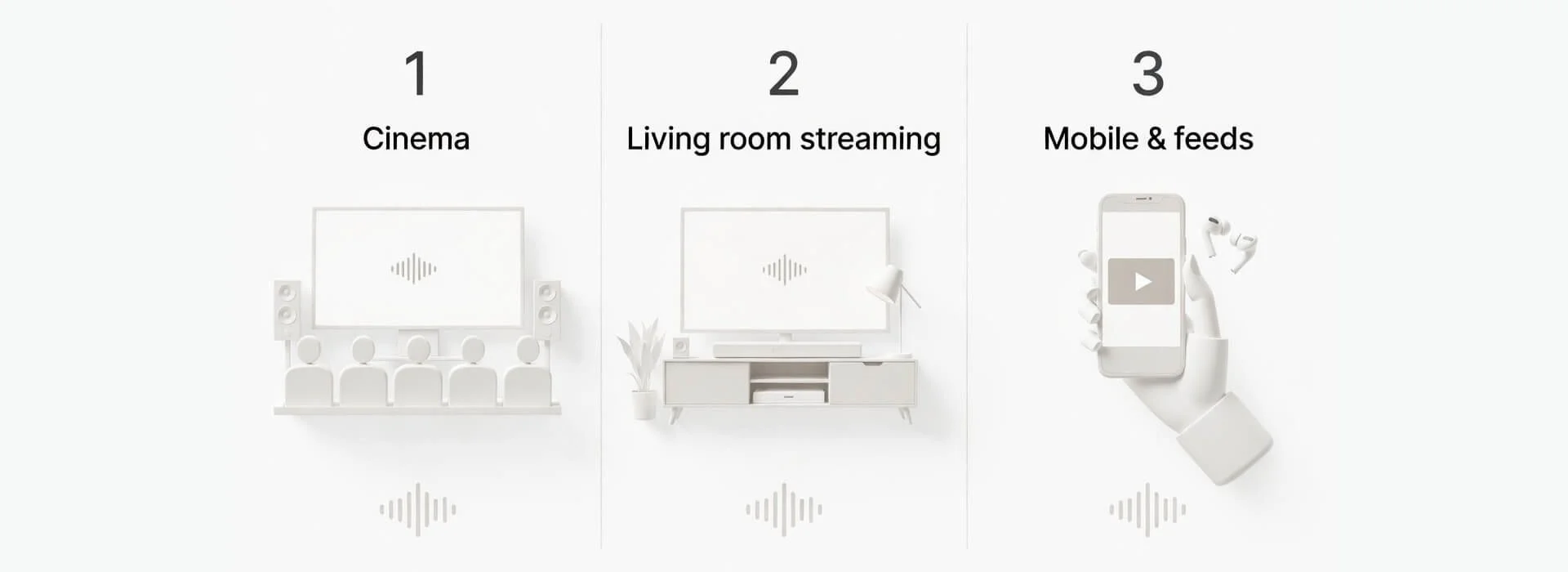
The same mix gets judged in three different rooms, so the first failure changes from cinema to living room to mobile.
You don’t need three different mixes for every project. You do need to know what each room punishes first, so you make deliberate compromises instead of accidental ones.
Cinema
In a cinema the audience gives you something rare. Commitment. Big speakers, a darker room, and fewer competing noises. That lets you use contrast on purpose and let quieter details do emotional work. On a project that needed a DCP for cinema playback, the whole post-production sound approach had to change, because small compromises that pass at home can become obvious on a calibrated big screen.
Checklist for cinema leaning work
Let silence and room tone carry tension
Keep dynamic range meaningful, not just loud
Use space as storytelling, not decoration
Make quiet lines intentional and supported, not fragile
Living room streaming
In the living room people are comfortable, but the environment is messy. TV speakers, soundbars, night modes, kettles, someone talking over the best line. Even when the viewer wants to focus, the room fights you.
Checklist for living-room mixes
Put dialogue first, then build everything around it
Check for music masking, especially in the mid range where speech lives
Test at low volume, not just your normal edit level
Avoid relying on subtle low end for emotional weight
If delivery specs apply, they can shape decisions as much as taste, and Netflix set out the kind of constraints that matter in sound mix specifications and best practices.
Mobile and feeds
Mobile is the harshest room because it often comes with tiny speakers and real-world noise. This is where good sound design becomes simple and ruthless. The opening moments matter more on mobile because viewers can scroll away instantly. If the first line is unclear, the piece often never gets a second chance.
Checklist for mobile and feeds
Make the first spoken line clean and easy to catch
Use fewer layers, not more, when clarity is at risk
Choose one strong cue per moment rather than a busy bed
Assume the viewer may listen quietly, or not at all
Because each room punishes a different failure first, it helps to see what to test and what to fix side by side.
| Where it plays | What breaks first | What to prioritise | Quick test |
|---|---|---|---|
| Cinema | Over-compressed loudness and fatigue | Dynamic contrast and intentional quiet | Play a quiet scene after a loud one — can you still follow every line? |
| Living-room streaming | Dialogue masking under music and effects | Dialogue clarity at low volume | Watch at low volume — can you follow the story without subtitles? |
| Mobile and feeds | Subtle detail and bass-dependent cues | Instant intelligibility and one hero cue | Phone speaker in a noisy room — does the first line land cleanly? |
Loudness and dynamics are not just technical

Normalisation can make different mixes play back at similar loudness, which changes what feels impactful.
Loudness normalisation is one of the hidden forces shaping modern mixes. Many distribution systems aim to make playback feel consistent between different pieces of content. That can be good for viewers, but it can surprise creators.
Because levels get matched, loud does not automatically mean impactful. Because peaks can be limited, a slammed mix may just get turned down. Because dynamic range varies by genre and context, one size rarely fits all.
A lot of the confusion around why a mix feels different across devices comes from normalisation and peak handling. You don’t need to memorise standards to benefit from this, but it helps to understand the basic idea so you stop chasing loudness as a proxy for impact. The Audio Engineering Society gives a clear overview in loudness normalisation basics.
If you want the reference many workflows point to when people talk about LUFS and measurement methods, it is set out in the EBU R 128 loudness recommendation.
You just need the mindset. Don’t mix only for your studio. Mix for translation.
A practical multi room sound plan
Here’s a simple workflow that works for brand films, docs, and creator work. It keeps you honest about what must be heard and what can be felt.
Sound brief template you can hand to your editor or post team
Primary viewing room, cinema, living room, or mobile first
Anchor element, dialogue, narration, or one key effect
Three must-hear moments in the first minute
One thing the viewer can miss without harm
Music role, support or lead
Dynamic range choice, tight, medium, or wide
Translation devices to test, phone, earbuds, laptop, TV
Final check, can the story be followed at low volume?
If you want a workflow you can reuse on every project, this is the simplest version that holds up across rooms.
| Step | What to do | Why it matters | Quick check |
|---|---|---|---|
| 1. Decide the anchor | Pick the element that must always be clear, usually dialogue. If there is no dialogue, choose narration, one key effect, or a musical motif. | If the anchor is weak, the viewer works harder, and many won’t. | Can you follow the core meaning with everything else turned down? |
| 2. Build a sound hierarchy | Write three lists, must be heard, nice to hear, can disappear without harm. | You can’t protect every layer, so you protect the right one. | Which single element would break the scene if it vanished? |
| 3. Do a translation pass early | Test on phone speaker at low volume, earbuds, laptop speakers, and TV or soundbar if you can. | Early testing saves hours of polishing that won’t translate. | Where do you miss the first word or cue? |
| 4. Fix masking before adding layers | If voice competes with music or effects, carve space, simplify, or swap textures instead of only turning the voice up. | Masking is the quickest way to lose clarity and trust. | Does the dialogue stay clear when the music bed is present? |
| 5. Do a final clarity pass | Watch once while doing something else, like making tea or replying to a message. | If you lose the thread, the audience will too. | Did you understand every beat without rewinding? |
Music too loud even when levels look fine
If the music feels like it is drowning the speaker but your meters say everything is fine, it is often masking. The fix is rarely just turning the music down. Start by carving space in the music where speech lives, or choosing a track with less energy in that range. If the music is heavily compressed, it can feel louder than dialogue even at similar levels, so easing the music compression or letting the voice sit more forward can help. Always test on a phone speaker. That is where this issue shows up first.
Two quick saves
Duck music under key phrases rather than lowering it everywhere
Let the first line land before the music fully arrives
A quick example that shows how this works
Imagine a brand film with voiceover, soft music, and location sound. On studio monitors it may feel warm and cinematic. On a phone the voiceover can get buried because the music and ambience live in the same mid range. The fix is rarely turning the voice up. It is usually carving space, simplifying layers, and making sure the first line is clean enough that the viewer knows what they are watching before they decide to leave.
What to check with your post team
You don’t need to do any of this yourself. This is a listening checklist and a set of plain-English requests you can make if something feels off.
If the voice feels buried, ask for more space for speech rather than turning everything down
If the background feels busy under key lines, ask for a cleaner bed during the moments that carry meaning
If the mix feels exhausting, ask for one main cue per moment rather than stacks of layers
If cuts feel harsh or jumpy, ask for consistent room tone so edits feel smoother
If the opening doesn’t land on mobile, ask for the first line to be tested on a phone and adjusted until it reads cleanly
FAQ
Do we need separate mixes for every platform?
Not always. Many brand films can get away with one strong master mix if it is built for translation and tested properly. Separate mixes start to help when the project has very wide dynamics, heavy music, or a delivery that needs strict compliance, such as cinema DCP or certain broadcaster style requirements.
Why does the music overpower the voice on phones?
Phones strip away a lot of bass, and what remains can crowd the same range speech needs to be understood. If the music is also compressed, it can feel constantly loud even when it is not peaking higher on the meter. The most reliable fix is making space for speech, not just turning the voice up.
What is the fastest audio check before exporting?
Run a ten minute translation pass. Play the opening minute on a phone speaker at low volume, then on earbuds, then on laptop speakers. If you miss the first key line or the core meaning, fix that before you do anything else. It is the fastest way to catch the problems viewers will feel first.
Key takeaways
Sound design isn’t universal because the playback room rewrites what survives
Dialogue clarity is often the trust layer, even in stylised work
Loudness normalisation can change perceived impact across platforms
Testing on real devices can save hours of polishing that won’t translate
A sound hierarchy beats guessing when the mix gets crowded
Next time a film feels nearly there, don’t start by changing the edit. Run the translation pass and fix the first line that fails on mobile. When sound holds up across rooms, the whole piece feels more expensive.